MES Suite

Lot Management

End-to-end traceability of planned and actual lots, streamlining recall analysis and movement validation.
LM · MES

Interactive Product Demo

Scroll to walk through Lot Management

AUTO-GENERATION 01
LOT MASTER 02
VALIDATION 03
GENEALOGY 04
LM · MES

Lots Born, Not Assigned

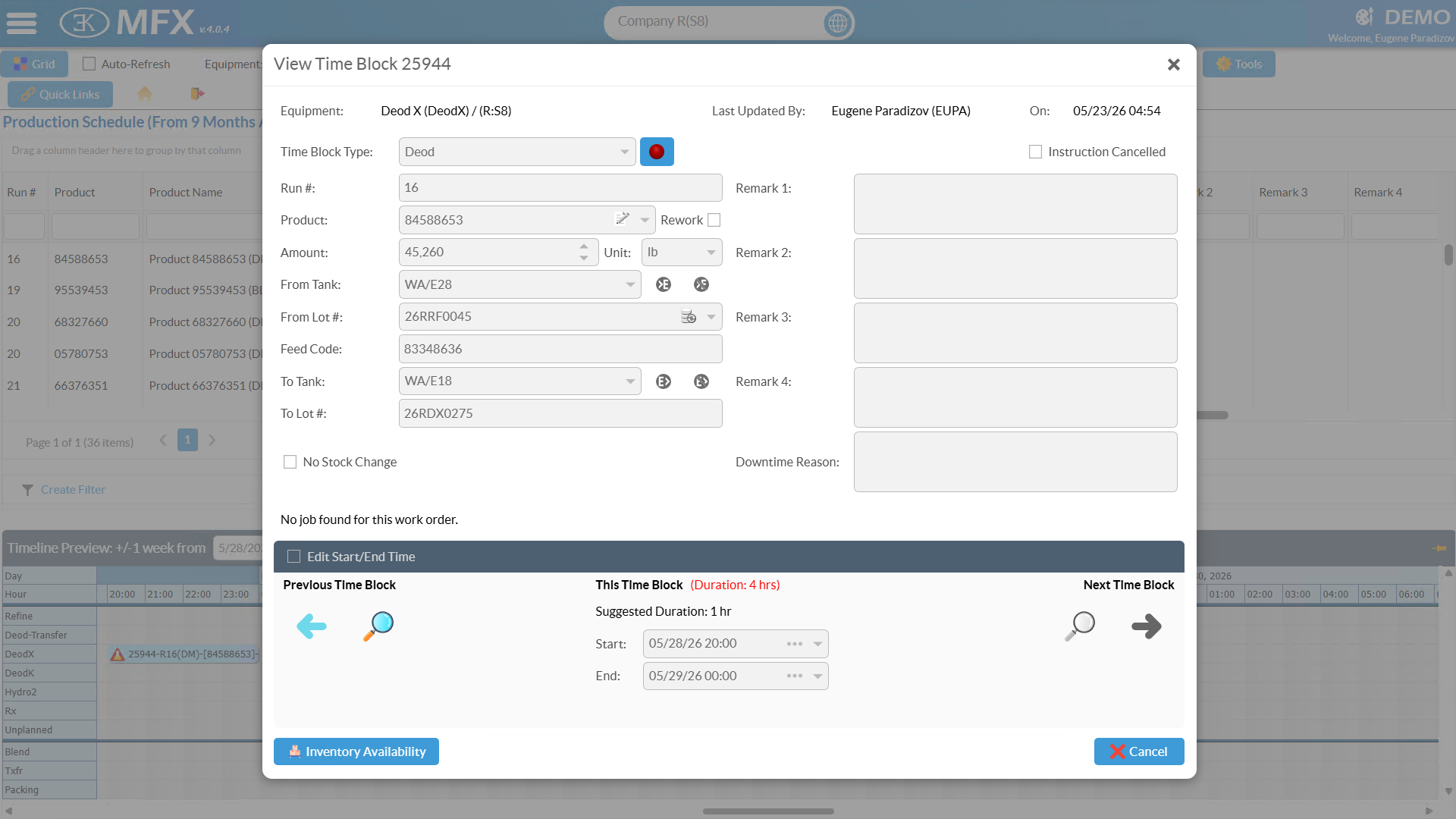
Every Production Schedule and Blend Schedule save automatically generates a lot number — no manual entry, no duplicates, no gaps.

Every Lot, Every Move

The Lot Master grid shows every lot in the plant with expandable movement history — full lifecycle detail one click away, from planned through disposed.

Conflicts Caught at Planning

Before a Production or Blend Schedule is finalized, lot validation checks every assignment for conflicts — expired lots, double-consumption, and availability mismatches surface as warnings, not production failures.

Trace Every Ingredient Lot

Movement Details expose which component lots fed each blend output — ingredient-level genealogy at a glance, ready for quality investigations and recall response.

Lot Management

End-to-end traceability of planned and actual lots, streamlining recall analysis and movement validation.

LM screenshot LM screenshot
LM · MES

What It Does

Lot Management generates lot numbers automatically when production and blend schedule entries are saved — no manual assignment, no duplicates, no gaps in the traceability chain. The Lot Master shows the complete movement history for any batch, built record by record during normal operations without data entry from operators or supervisors.

Automatic Generation

Lot numbers are assigned, formatted per the configured pattern, and linked to the schedule entry at save time — no manual step, no opportunity to skip. The traceability chain starts at planning. The Lot Master view shows every lot in the plant in one filterable grid with full movement history on expand.

Lot Master

Every lot — planned, in production, in storage, transferred, shipped, or disposed — appears in one filterable grid. Expanding a row reveals the full movement history: every tank transfer, blend consumption, shipment, and adjustment, built automatically by the batch finalization pipeline.

Pre-Planning Validation

Before a schedule entry finalizes, lot validation checks for conflicts: nonexistent lots, inactive-status lots, planned consumption exceeding available quantity, and date inconsistencies. Conflicts surface as planner warnings before the instruction reaches the floor — not as runtime failures that stop an operator mid-batch.

Ingredient Genealogy

The Movement Details view shows which component lots fed each blend output with per-ingredient quantity contributions. The full chain from finished product to raw material supplier is continuous, satisfying trace-all-the-way-back requirements for quality investigations and regulatory audits.

See LM in Your Operation

Schedule a demo and we'll walk through Lot Management alongside the full MES suite — and where it fits in the AI-Native platform we're building.

Back to MES